
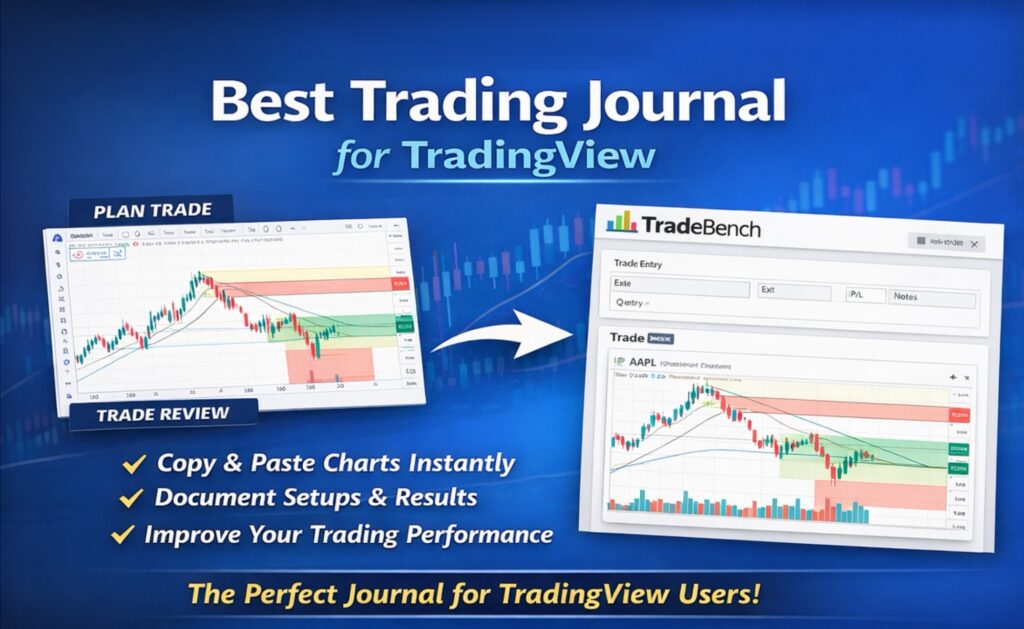
Best Trading Journal for TradingView
If you use TradingView for charting and analysis, you already have a strong workflow – but most traders still miss the piece that actually drives improvement: structured journaling. A good trading journal helps you track performance, spot mistakes faster, and build consistency over time.
If you’re looking for the best trading journal for TradingView, this guide covers what to look for – and why TradeBench is built for TradingView traders.
Why TradingView Users Need a Trading Journal
TradingView is excellent for:
- Technical analysis
- Indicators and charting
- Trade ideas and watchlists
- Market structure and trend following
But TradingView doesn’t have a journal feature. Therefore, a TradingView-focused journal should help you:
- Document trade setups before entry
- Review trades after exit
- Track mental behavior and execution
- Improve risk management and consistency
- Ultimately lead to better profitability
Without a journal, it’s hard to learn systematically – because you can’t reliably see what works, what doesn’t, and why.
TradeBench: Built for TradingView Traders
TradeBench is designed for traders who analyze in TradingView and other charting solutions who want a clean, structured way to journal trades without friction. See the full set of trading journal features.
1) Copy and paste TradingView screenshots directly into your journal
One of the biggest advantages of TradeBench is how easy it is to add visuals.
You can copy and paste screenshots from TradingView directly into TradeBench – both in your journal entries, when planning and reviewing a trade.
No uploads.
No file management.
No extra steps.
That matters because journaling only works if it’s fast enough to do consistently.
Practical tip: Take a screenshot in TradingView, copy it to your clipboard, then paste it straight into TradeBench.
2) Document the trade setup before you enter – so you can review it honestly
TradeBench makes it simple to capture what your setup looked like before you executed.
For example, if you trade AAPL, you can:
- Paste the TradingView chart of AAPL showing the setup
- Note your thesis and conditions
- Record planned entry, stop loss, and target
- Save the “before” snapshot so later review is accurate
This is one of the most effective ways to improve: comparing what you expected to happen with what actually happened.
3) Visual trade review improves pattern recognition
Markets are visual. If you only journal numbers (entry, exit, P&L), you miss the context.
With TradingView screenshots inside your journal, you can review:
- Market structure and trend context
- Entry timing and any thoughts you had around the time of entry
- Whether stops and targets made sense
- Repeated mistakes (or better yet: repeated strengths! See below)
Over time you build a visual database of your decision-making.
If you want an example of performance-focused improvement thinking, you can also read: Trade better by playing to your strengths
Who TradeBench Is For
TradeBench is ideal for:
- TradingView users who want a practical journal
- Stock traders
- Day traders and swing traders
- Traders who want a visual review loop
- Traders who want a cost free, low-friction journaling workflow
Final thoughts
The “best trading journal for TradingView” is the one you’ll actually use consistently.
TradeBench makes journaling:
- Fast
- Visual
- Simple
- … and it’s compatible with a TradingView workflow (copy-paste screenshots)
If you’re serious about improving, start building a process you can repeat – and review.
Frequently Asked Questions
What is the best trading journal for TradingView?
The best trading journal for TradingView is one that’s fast and visual. TradeBench lets you paste TradingView screenshots directly into your journal so you can document setups and review trades clearly.
Can I paste TradingView charts into a trading journal?
Yes. With TradeBench, you can copy a TradingView screenshot and paste it directly into your journal entries and trade plans without uploading files. Sign up to try it right away.
Why should I journal trades from TradingView?
Journaling helps you identify patterns in execution, improve risk decisions, and learn faster. Visual journaling with charts adds context that numbers alone don’t capture.
Is TradeBench free?
Yes. TradeBench is free and designed to be simple enough that traders can stay consistent with journaling.
TradeBench is funded through partners and sponsors. This allows the platform to stay cost free for our users. Learn more on our partners and sponsors page.
What Makes the Best Trading Journal for TradingView?
Complex tools create friction. When journaling feels complicated, traders will stop doing it.
The best trading journal for TradingView should be:
- Fast to use
- Visual
- Simple
- Flexible
- Designed for retail traders
- Free or affordable
Journaling tip: Consistency creates improvement.